|
PROBLEM:
Buttons Will Not Respond
SOLUTION:
- If your dryer's controls will not respond, Child Lock may be activated. This feature prevents any buttons from being selected. To activate or deactivate Child Lock, press and hold the Time and Signal buttons simultaneously for 3 seconds.
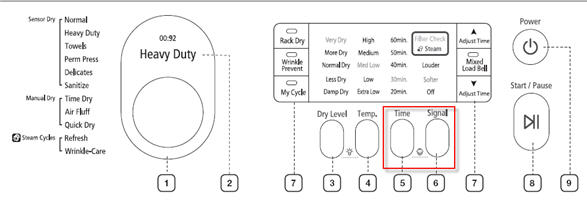
- However, the buttons may vary depending on the model. Please check your User Manual for the exact buttons.
- If Child Lock is NOT activated and the buttons still do not respond, your dryer will require service.
|

